Roll the clip right on cue.
Solta VT turns an Android TV box or Google TV into a video playback device for events, services, talks and live shows. Your video switcher controls it over the network, and your team uploads files and runs everything from a phone or computer browser.
- Port 9993Driven by your switcher
- BrowserPanel and file upload
- 1080pOn the HDMI output
It used to take a computer. Now it takes a small box.
Rolling a clip at an event usually meant a laptop hooked to the video switcher with a long HDMI cable, someone next to it clicking at the right moment, and hoping the operating system would not decide to update during the opening. At best it was a computer just for this: expensive, taking up room at the tech desk and minutes away from ready.
Solta VT was born in our own event work. We swapped the computer for a palm-sized TV box. The switcher controls it over the network, the same way it would control a dedicated video player, and the team sends files from a phone browser. Power the box on and it is ready to roll.
How it works
- 1
Power the box on
The panel and switcher control come up on their own when the TV box powers on.
- 2
Send your files
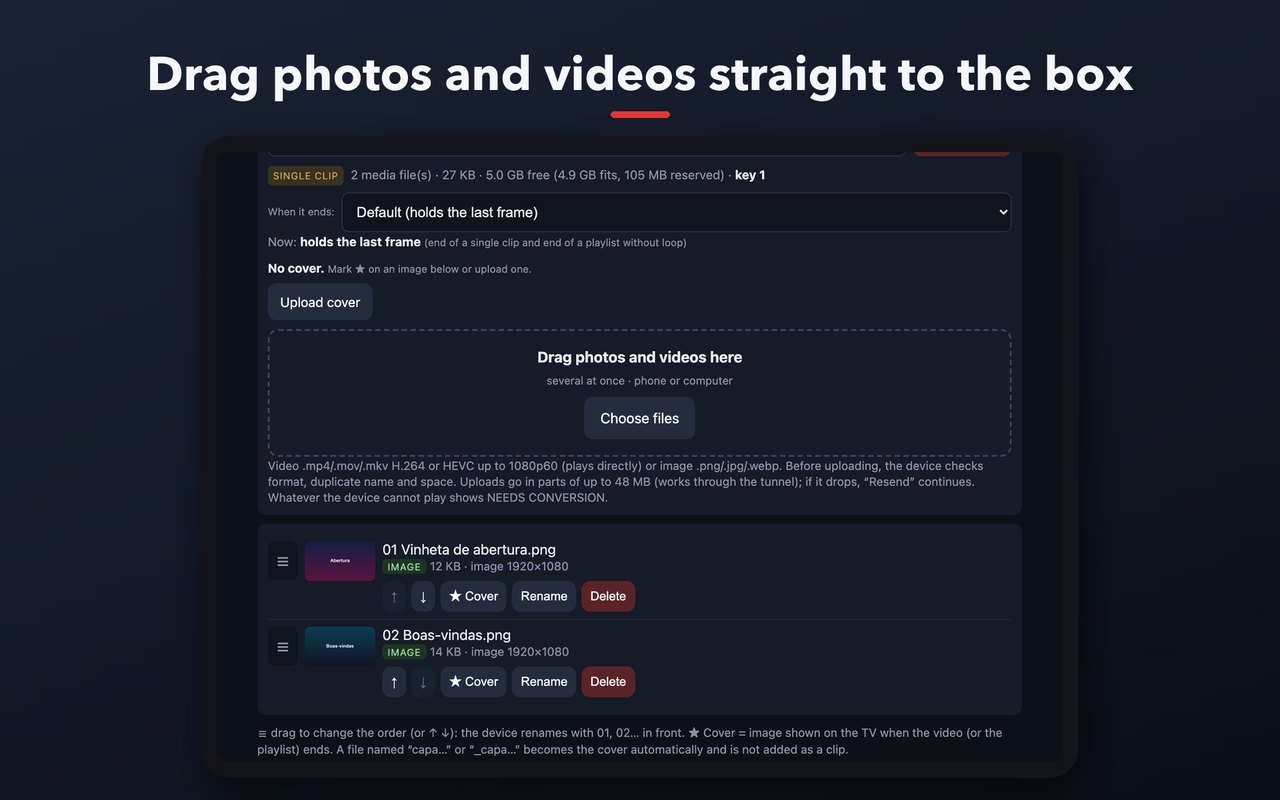
Drag photos and videos straight to the box from a phone or computer browser.
- 3
Your switcher rolls it
Over the network, the switcher plays, stops and picks the clip.
What it does
Driven by your switcher
Takes commands from video switchers on port 9993, compatible with the HyperDeck protocol: play, stop and pick a clip.
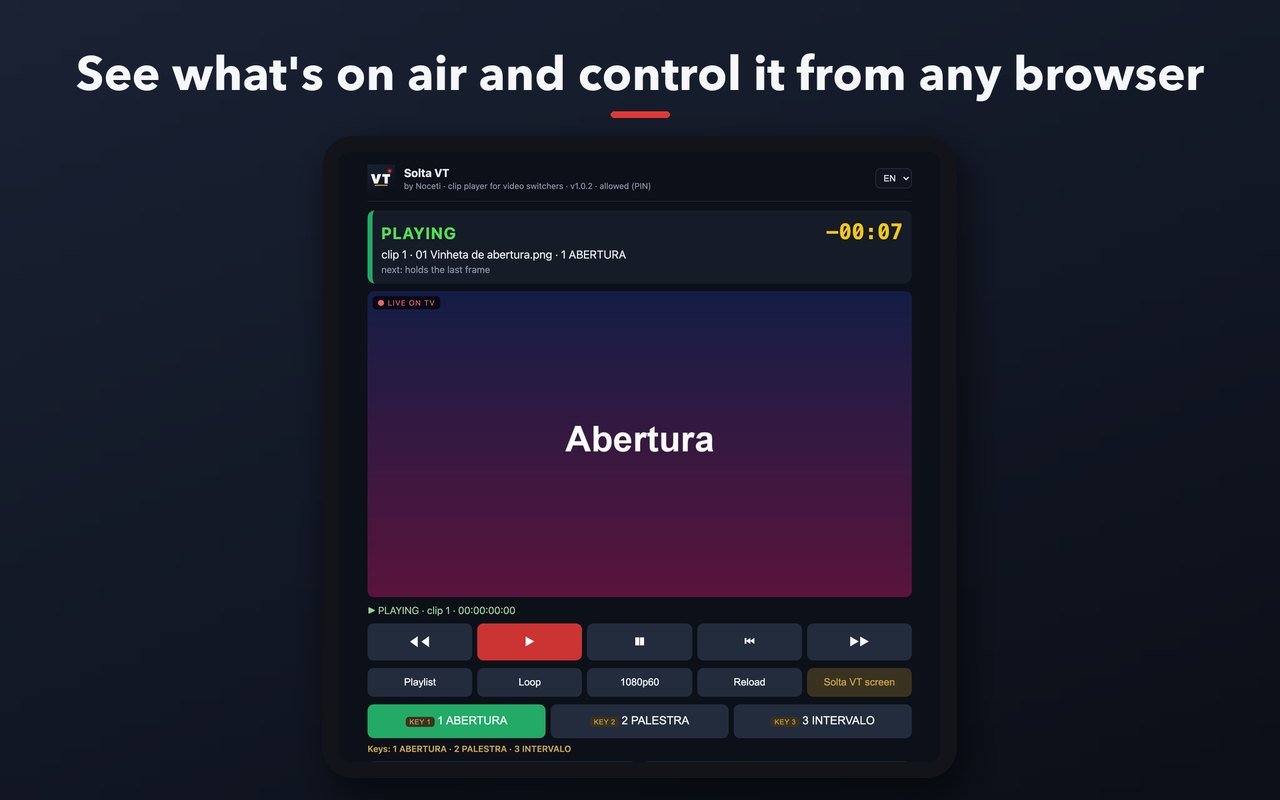
Browser panel
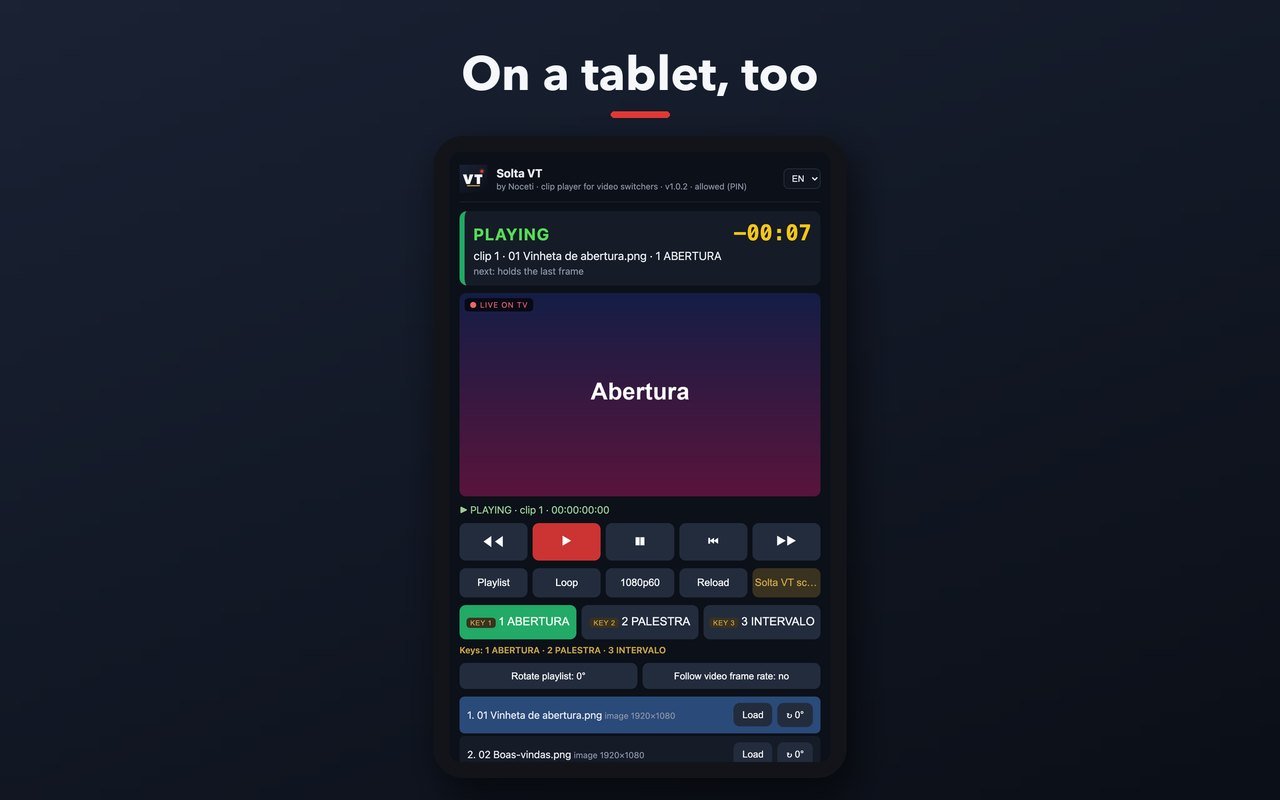
On the same network, see what's on air, play, stop and change clips from a computer or phone.
File upload
Drag photos and videos straight to the box. Uploads go in parts and resume if the network drops.
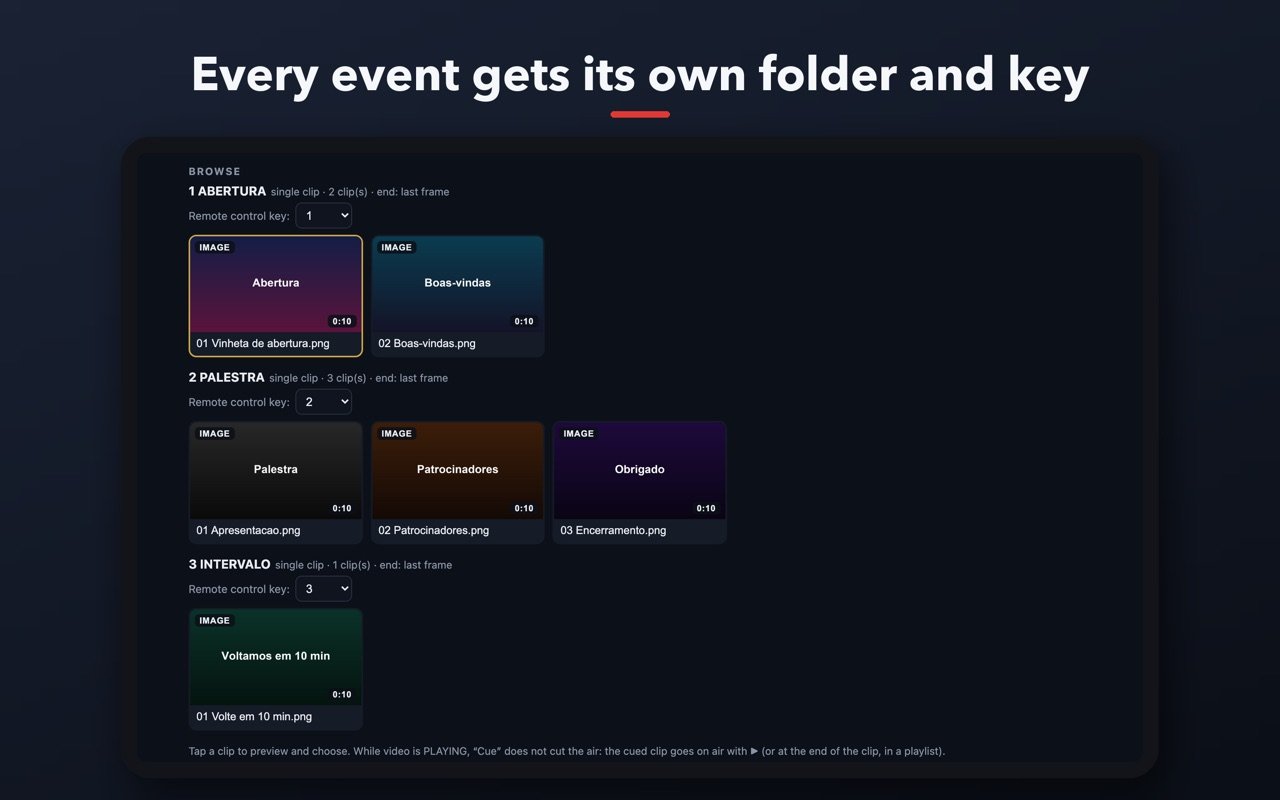
One folder per event
Each event gets its own remote control key, in single clip, playlist or looping playlist mode.
1080p on HDMI
Videos and images in 1080p at the frame rate you choose (60, 30 or 24), with clip rotation and a cover image for when nothing plays.
Starts with the box
The panel and switcher control come up on their own when the TV box powers on.
How it looks
How it compares
Three ways to run clips at an event. Prices are rough 2026 Brazilian market estimates, for scale only.
| Dedicated computer or laptop | Dedicated video player/recorder | Solta VT on a TV box | |
|---|---|---|---|
| Equipment (estimate) | R$ 2,500 to R$ 6,000 | R$ 4,000 to R$ 10,000 | TV box or Google TV from R$ 250 to R$ 700; free app, optional one-time Pro |
| Size | Laptop or tower, power supply and cables | Rack or desktop unit | Fits in your hand |
| Switcher control | Needs extra software and setup; often someone clicks | Yes | Yes, over the network: play, stop and pick a clip |
| Getting files in | USB stick or a folder on the computer | Usually a card or drive carried to the unit | From a browser on a phone or computer |
| Power on and go | Boot, log in, open the software, check the output | Yes | Yes: panel and switcher control start with the box |
| Updates and antivirus | Can interrupt or restart mid-event | Firmware, when you choose | Box dedicated to the app; updates through Google Play |
| Access from outside | Separate remote-access software | Usually not | Optional, with your own Cloudflare account and PIN |
| Video output | Depends on the graphics card | Professional HDMI or SDI | HDMI 1080p (60, 30 or 24) |
| Records the program | With recording software | Yes, most do | No: Solta VT only plays |
Free and Pro
Free
Every feature, with a Solta VT watermark on the output.
Solta VT Pro
Removes the watermark. One-time Google Play purchase, no subscription. Reinstalled or changed devices? Use Restore purchase.
Security and privacy
- Panel PIN (4 to 8 digits) with a lockout after wrong attempts, and a list of IPs allowed to control the box on the switcher port.
- Access from outside your network is optional and off by default. Turn it on with your own Cloudflare account if you want it.
- No account needed. Your videos and images stay on the box; nothing is sent to Noceti. Privacy policy.
Requirements
Android TV box, Google TV or Android device running 7.0 or later, with HDMI output. Local network (wired recommended). Video .mp4, .mov, .mkv, .m4v and .ts (H.264 or HEVC up to 1080p60); images .png, .jpg and .webp.
Questions and support: suporte@nocetiproducoes.com.br